Video calls that
stay on your network.
Squawkr is a desktop app for direct video, audio, and chat between machines on the same LAN. No accounts. No servers in between. Nothing leaves your subnet.
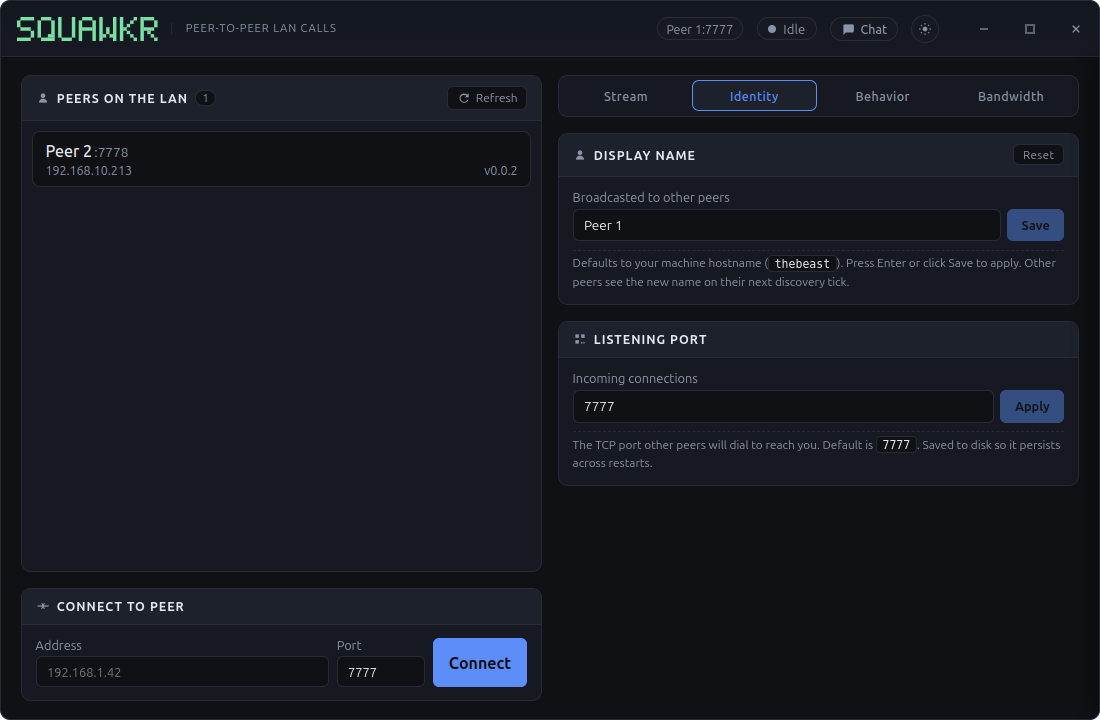
One window. Everything you need.
Audio, video, screen sharing, group chat, quality controls, and a live bandwidth meter — laid out in one frameless window that gets out of your way.
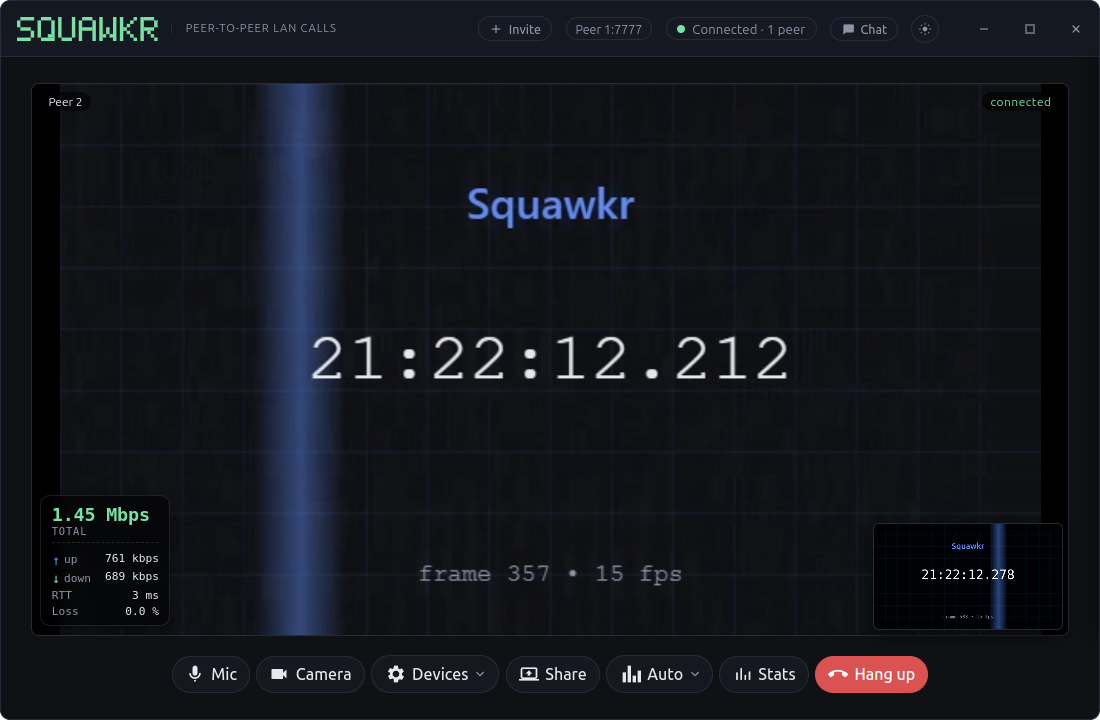
From open to call in seconds.
Two machines, one network, three steps. Nothing else in between, ever.
Open Squawkr
Launch the app on any two computers connected to the same network. Each one quietly looks for the others — no setup, no sign-up, no codes to read out loud.
Pick a peer
Anyone running Squawkr on the network shows up in your list within seconds. Click their name to start a call. They get a ring; one tap to answer.
Talk & share
Audio, video, screen sharing, and chat all flow straight between the two machines. Add a third or a fourth person mid-call without missing a beat.
No relay in the middle. No accounts to set up. No codes to share. If two machines can see each other on the network, they can call each other.
Everything you'd expect from a call app — locally.
[ ] Auto-discovery
Open the app on two computers on the same network and they find each other. Type the address by hand for anyone outside.
[ ] Group calls
Add people mid-call without anyone hanging up. Up to a roomful at a time, each connected straight to the others.
[ ] Screen & window sharing
Share a whole screen or a single window. Switch back to your camera with one click — no extra setup, no separate viewer.
[ ] In-call chat
Group or one-to-one text alongside the call. Useful for sharing a link, a typo-prone name, or a quick aside.
[ ] Quality controls
Auto, low, medium, or high — picked per person. Pop up a live overlay if you want to see how the connection is holding up.
[ ] Connection tester
Measure the raw speed between you and any peer on the network. Useful for sanity-checking the wiring before an important meeting.
[ ] Remote control (opt-in)
Let a peer flip your microphone, camera, or quality on your behalf — but only after you've explicitly turned it on in settings.
[ ] Your own branding
Replace the wordmark with your own logo. Separate light and dark variants if you want them to match the theme.
[ ] Light & dark themes
Follows your operating system by default. Pin it to one if you'd rather keep things consistent.
Built for networks where data shouldn't leave.
Schools, labs, hospitals, regulated workplaces, home networks — anywhere a meeting between two rooms shouldn't make a round-trip through someone else's data center. Squawkr keeps the audio, the video, the chat, and the metadata on the wire between you and the other side.
verifiable by you, not by us
Grab the latest build.
Portable on both platforms — no installer, no admin rights, no background services.